01 / PLAN ANALYSIS
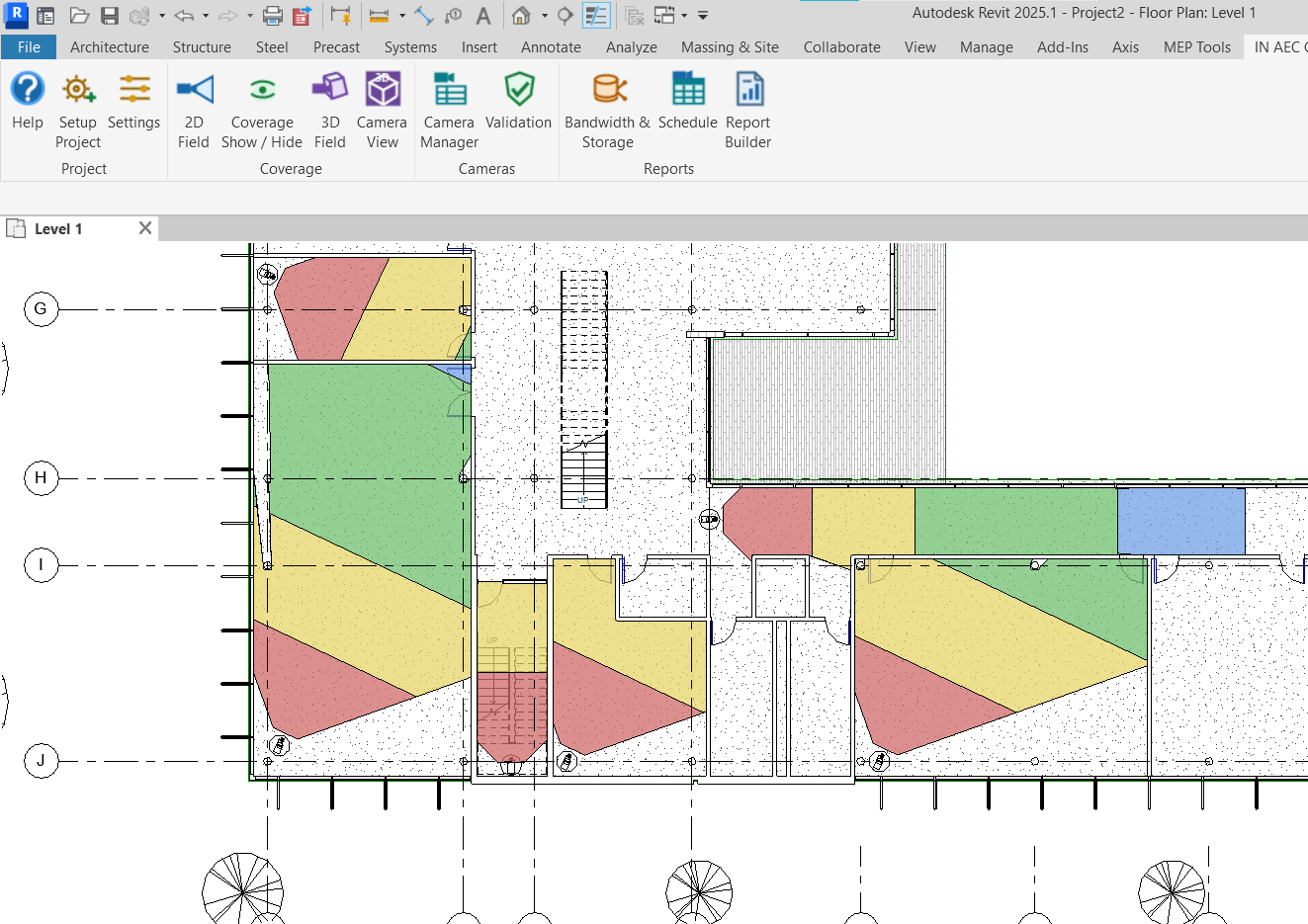
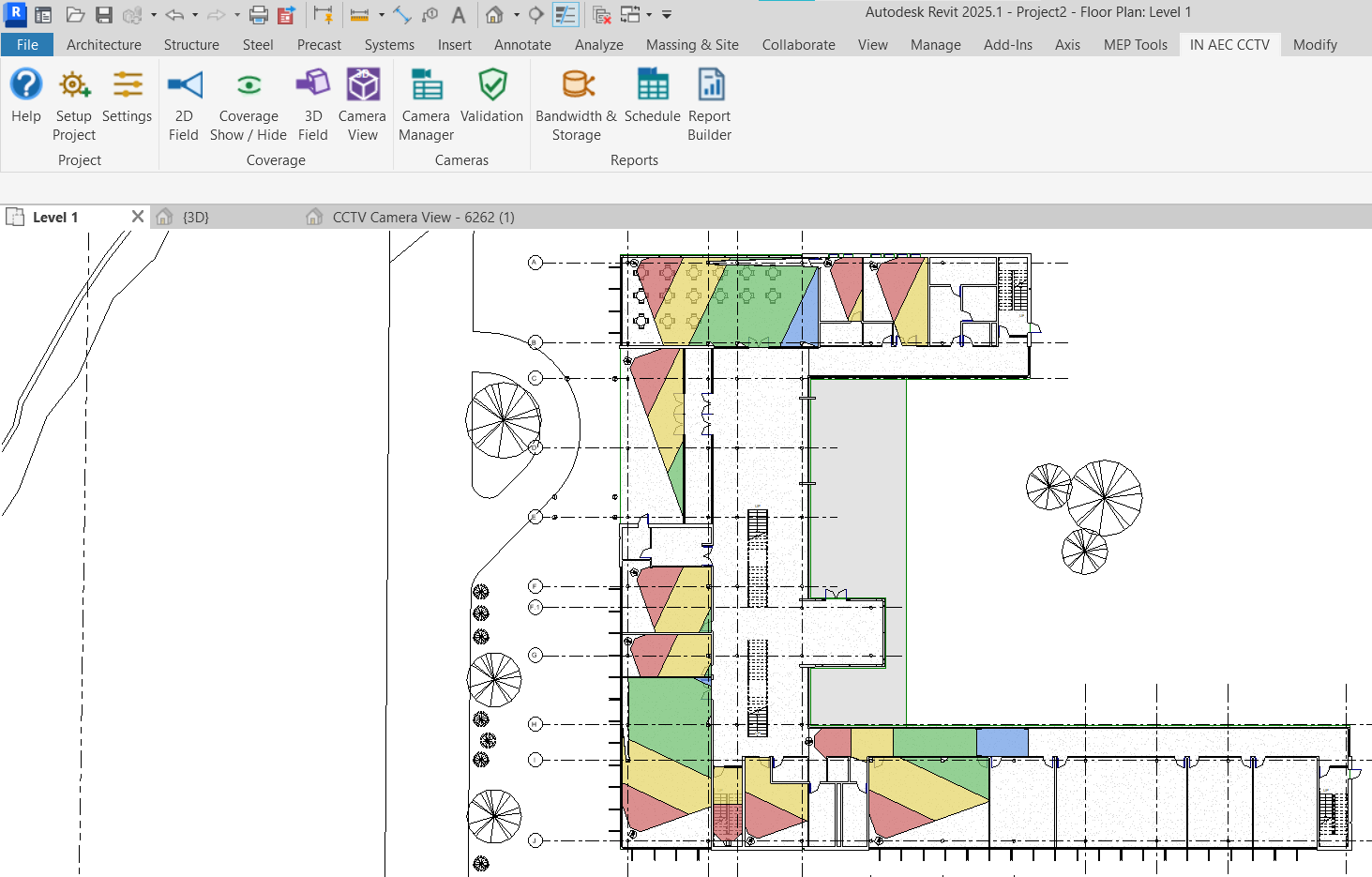
2D Coverage & DORI Analysis
Generate clear camera coverage regions and visualize Detect, Observe, Recognize, and Identify performance directly on Revit plans.
IN AEC CCTV FOR AUTODESK REVIT
Design, analyze, manage, validate, and document CCTV systems directly inside Revit.
IN AEC CCTV brings coverage analysis, camera data management, engineering calculations, validation, schedules, and professional reporting into one connected workflow.
From camera placement to final deliverables — one connected CCTV design workflow.
THE PRODUCT
IN AEC CCTV is a Revit add-in designed to support the CCTV design process from early analysis through project documentation.
Instead of using separate workflows for camera coverage, engineering data, calculations, validation, schedules, and reporting, the add-in brings these tasks together inside Autodesk Revit.
Coverage is where the visual story begins. Structured data, informed calculations, intentional review, and clear deliverables complete it.
COVERAGE & VISUALIZATION
Visualize camera coverage directly within the BIM environment and evaluate camera performance in context with the architectural model.
Generate clear camera coverage regions and visualize Detect, Observe, Recognize, and Identify performance directly on Revit plans.
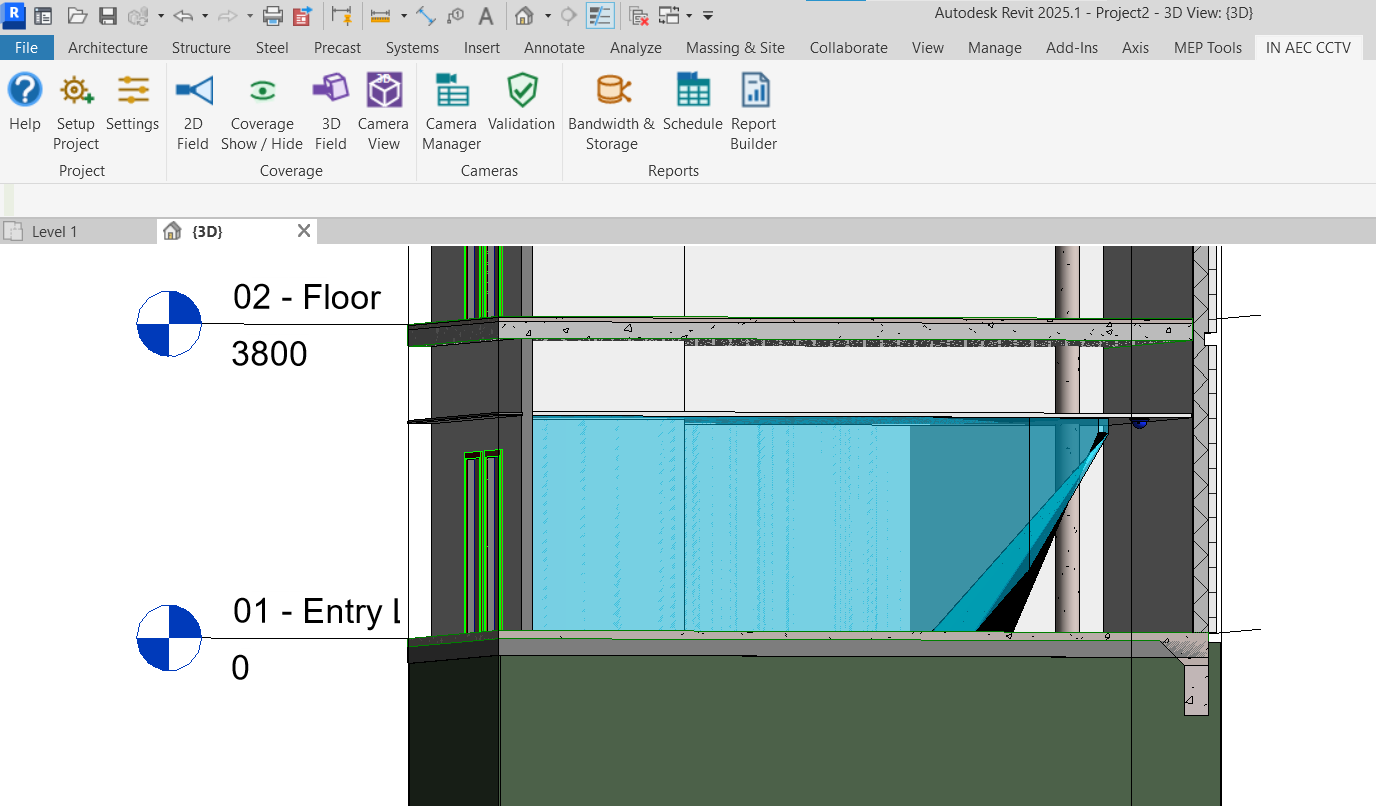
Review camera coverage in three dimensions with architecture-aware field geometry.
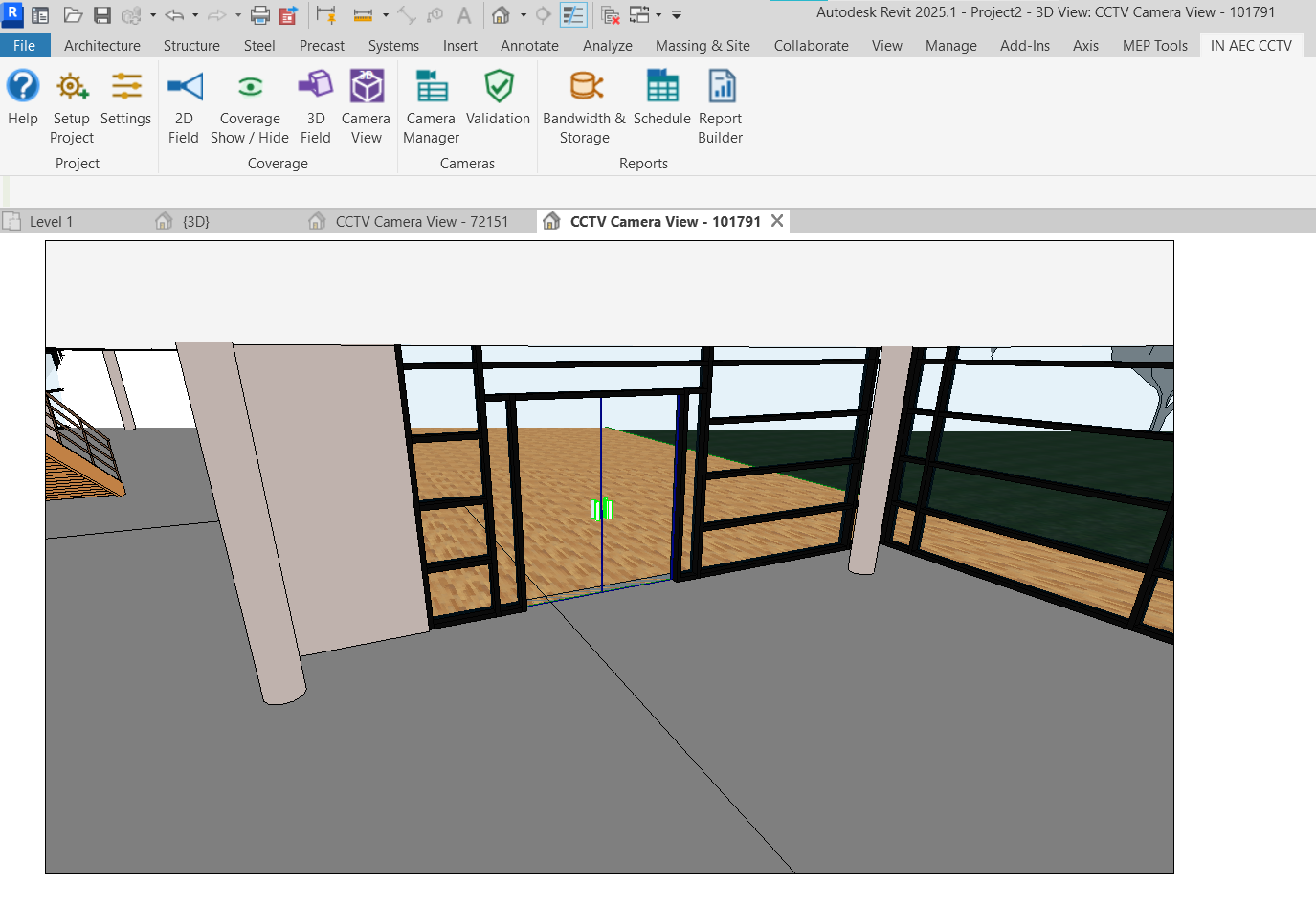
Generate a perspective view from the selected camera to understand viewing direction and the scene inside the model.
CAMERA MANAGEMENT
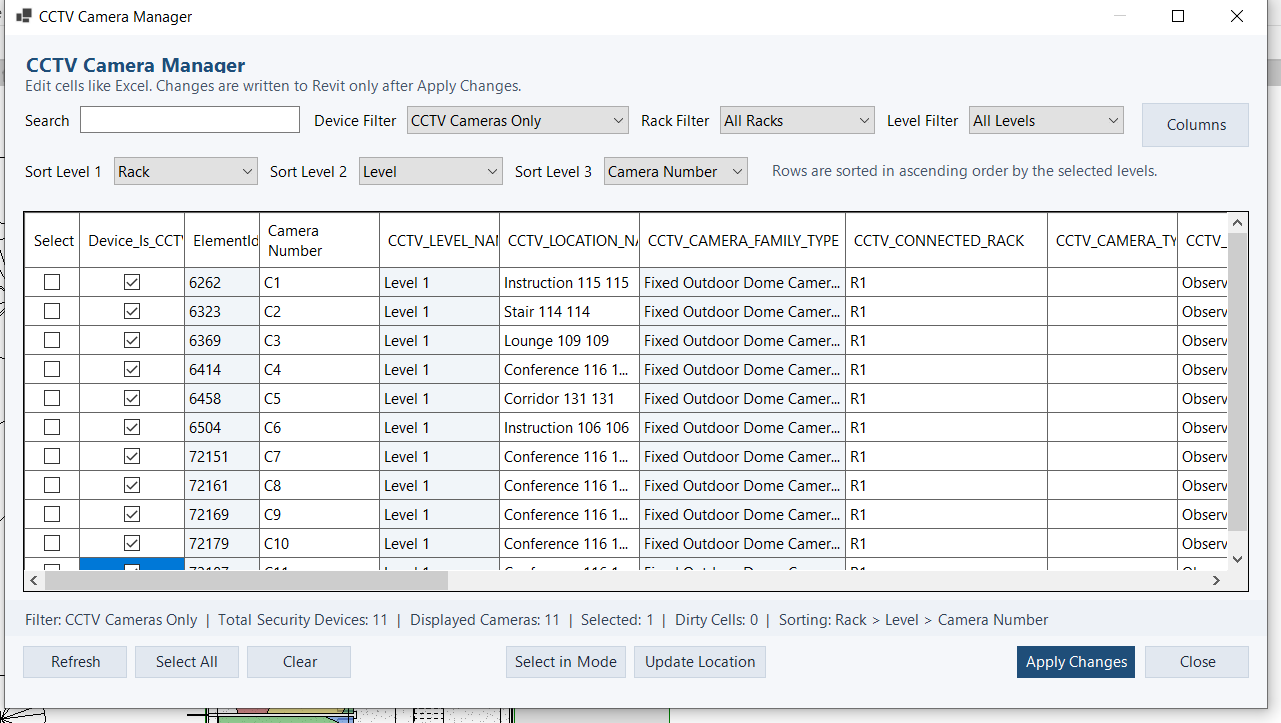
Use the CCTV Camera Manager to review and edit camera information through a structured table interface instead of managing every camera individually.
Less repetitive editing. Better visibility across the entire CCTV design.
ENGINEERING CALCULATIONS
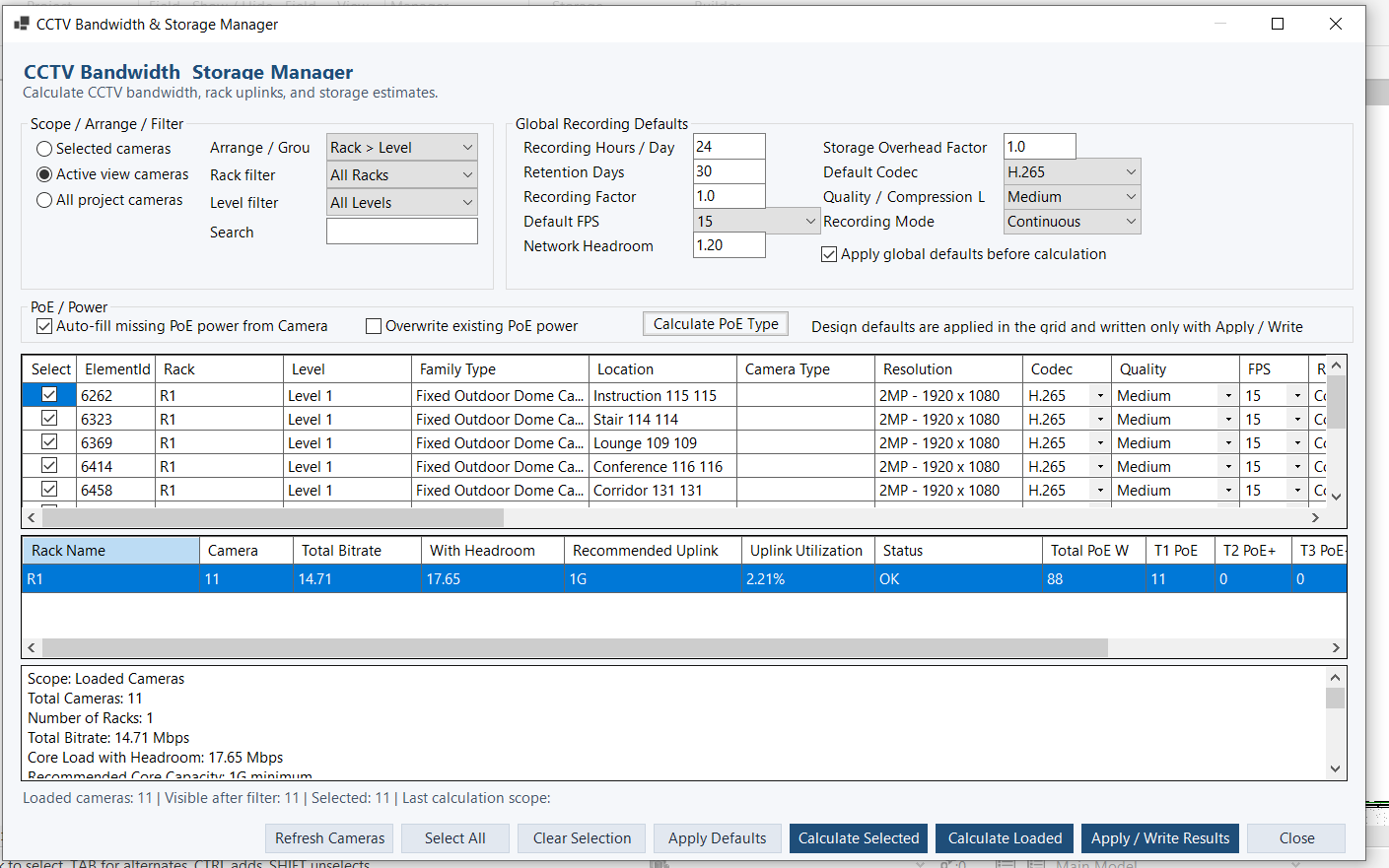
Calculate key CCTV infrastructure requirements using project camera information and selected design assumptions.
Estimate camera and rack bandwidth requirements.
Evaluate storage requirements based on recording parameters and retention period.
Review aggregated rack loads and recommended network capacity.
Assess camera power requirements and required PoE type.
Design calculations stay connected to the cameras they belong to.
VALIDATION
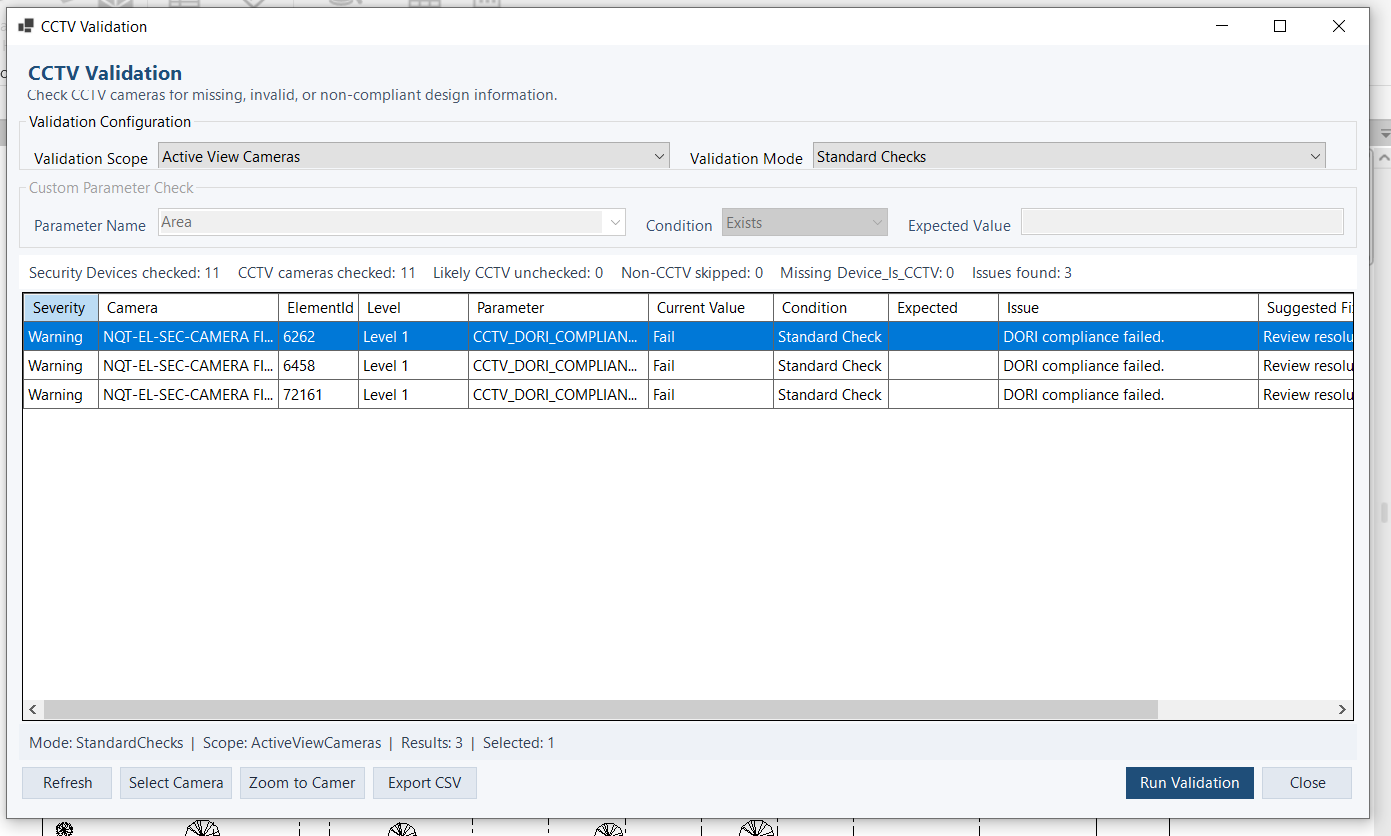
Review CCTV cameras for missing, invalid, or incomplete design information before issuing schedules and reports.
Validation helps identify issues in camera parameters, engineering inputs, DORI requirements, and project data while keeping the review workflow inside Revit.
Review first. Correct intentionally. Deliver with more confidence.
SCHEDULES & REPORTS
Turn CCTV model information into structured project documentation.
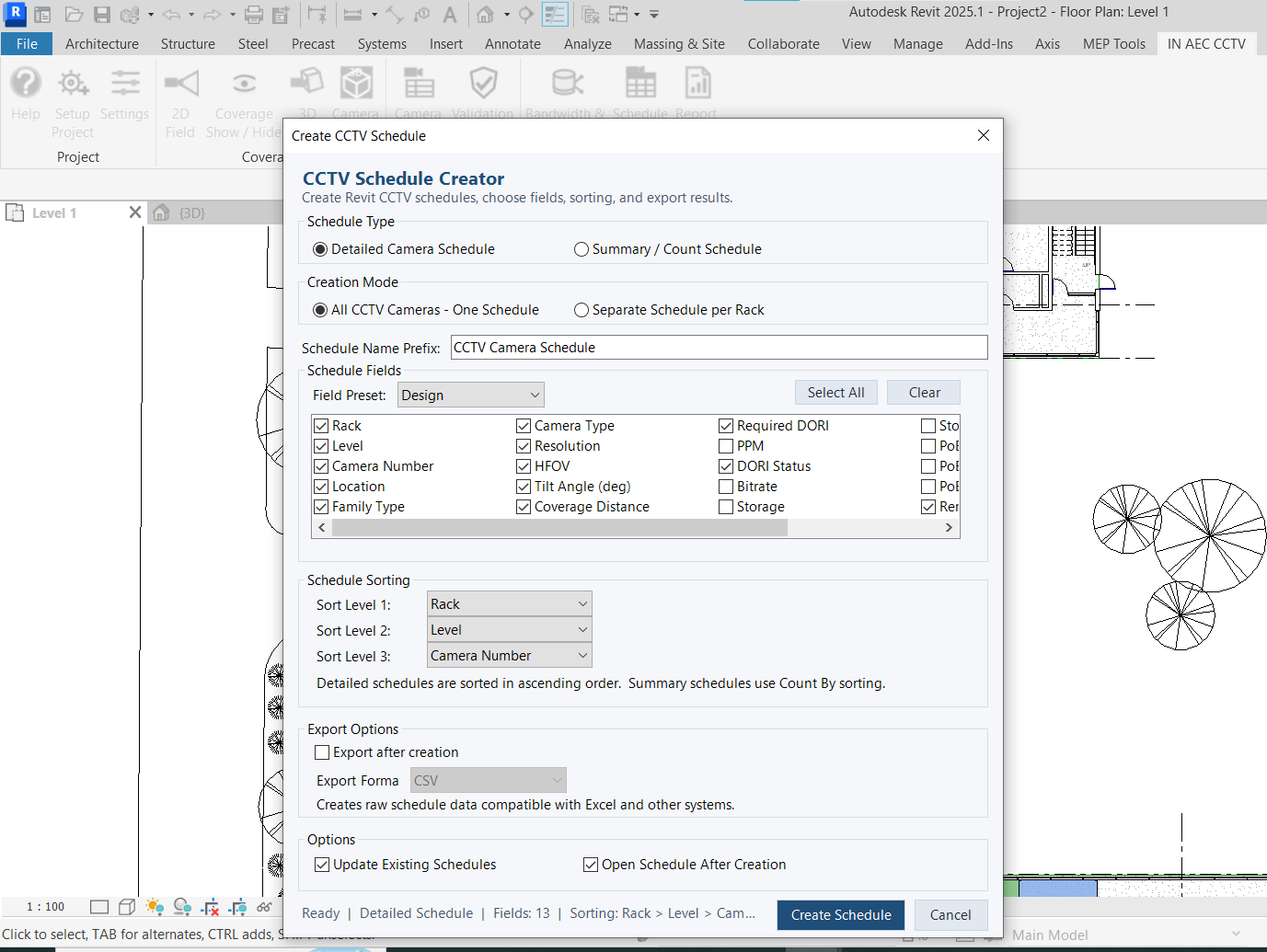
Create configurable Revit camera schedules with selectable fields, sorting, rack organization, and export options.
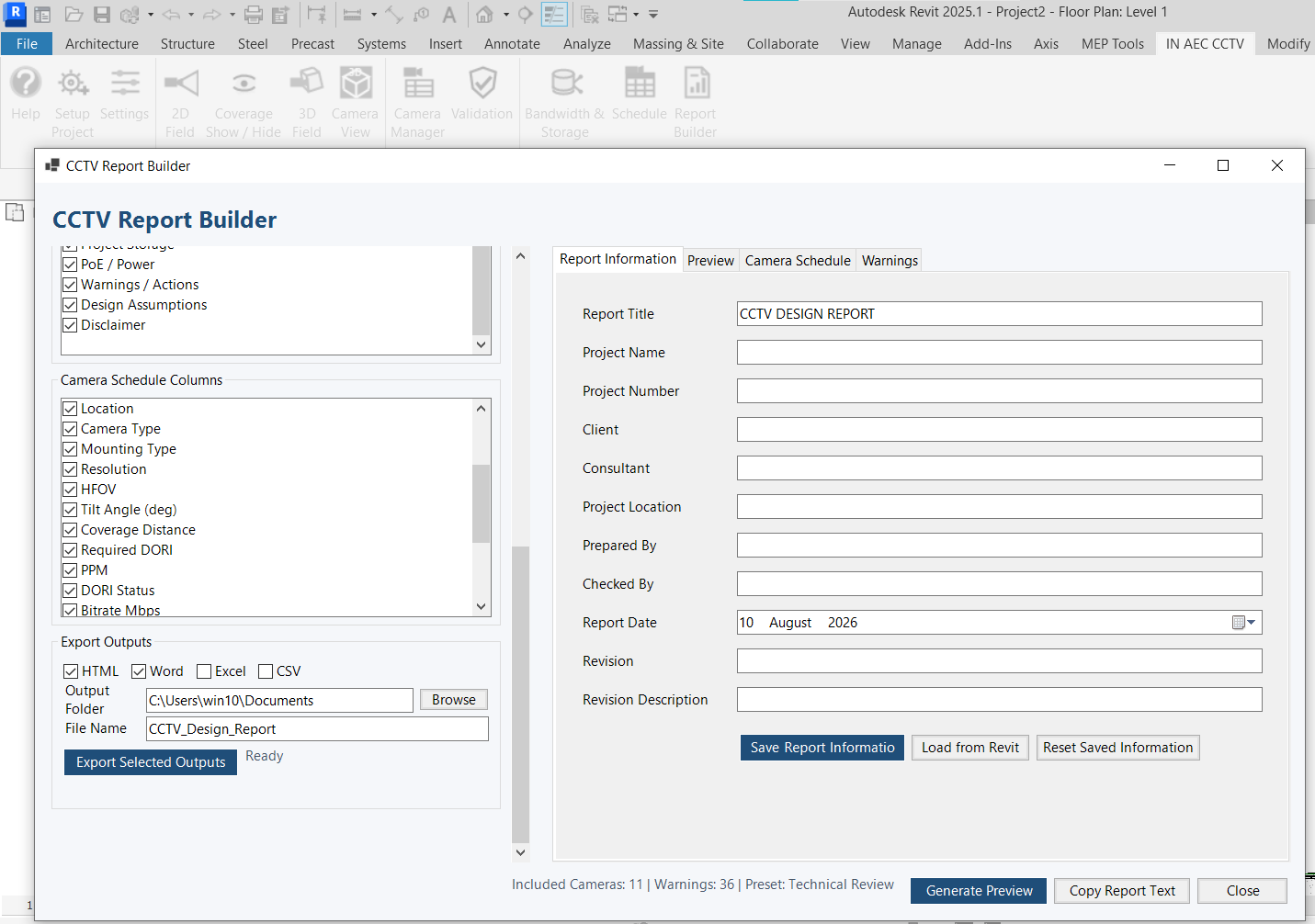
Generate structured CCTV design reports including camera information, DORI results, bandwidth, storage, PoE, warnings, and design summaries.
WORKFLOW
Move from project setup to coordinated deliverables without disconnecting design intent from BIM data.
Prepare the Revit project for the CCTV workflow.
Define camera information and engineering inputs.
Review 2D DORI, 3D Field and Camera View results.
Organize camera data and calculate bandwidth, storage and PoE requirements.
Identify missing or inconsistent design information.
Create schedules and professional project reports.
PRICING
Start with a 15-day trial, then choose the license duration that fits your workflow.
All individual plans include the complete IN AEC CCTV V1 feature set. Plans differ only by license duration.
15-Day Trial
Free
Evaluate the complete workflow
Monthly
19 US dollars
1-month license
3-Month
49 US dollars
3-month license
Annual
149 US dollars
1-year license
Business / Team
Contact Us
Licensing based on requirements
Payment and license activation are currently handled directly by IN AEC Tools. Contact us to purchase or renew a license.
15-DAY EVALUATION
Evaluate the CCTV design workflow directly inside Autodesk Revit. The trial is licensed to one machine and is intended to let you test the add-in with your own Revit workflow before purchasing.
Trial licenses are issued manually after request review.
ABOUT IN AEC TOOLS
IN AEC Tools develops practical Autodesk Revit tools focused on engineering design, analysis, automation, and project delivery.
Reduce repetitive work while keeping engineering decisions in the hands of the designer.
FAQ
No. IN AEC CCTV supports the designer with analysis, management, calculations, validation, and documentation. Engineering decisions remain under the user's control.
Yes. IN AEC CCTV is designed as an Autodesk Revit add-in and operates directly within the Revit workflow.
Autodesk Revit 2024 and 2025 are currently supported.
Yes. The add-in includes bandwidth, storage, rack aggregation, and PoE assessment tools based on project camera information and selected design assumptions.
Yes. CCTV schedules can be created inside Revit, while the Report Builder provides structured project reporting and multiple export formats.
A 15-day trial license is issued for one machine. Trial requests are reviewed and activated manually.
Contact IN AEC Tools to purchase or renew a license.
No. The add-in supports engineering workflows and calculations, but design decisions and final project responsibility remain with the designer.
START YOUR EVALUATION
Coverage. Camera management. Engineering calculations. Validation. Documentation.
All inside Autodesk Revit.
Questions? in.aec.tools@gmail.com